
Introduction: Transition from B-Form to CRC
Form-B had been used for many years, under which many children of single parents were listed. But now, For the last few months, instead of issuing Form-B, NADRA has introduced the Child Registration Certificate (CRC).
Difference Between Form-B and CRC
There is a difference between Form-B and CRC: in the Form-B, all the children of a single parent are listed, whereas in CRC, like the CNIC, only one is made for each child. However, in the CNIC, the parents’ information is not included like the CNIC number of parents, while in the CRC, the CNIC numbers of father,mother and the child are present.
Uses of CRC (Child Registration Certificate)
The CRC (Child Registration Certificate) is required for:
• School or college admission
• Applying for a passport
• Visa applications,
• And other legal and official identity purposes for minors. It includes child’s name, gender, date of birth, father’s name, place of birth, mother’s name and also a QR code and a unique tracking ID.
How to Apply for CRC for a Child Below 1 Year
Step 1: Download the Pak ID Mobile App
For android users you can download Pak ID mobile app from Google Play Store.
Step 2: Start Application
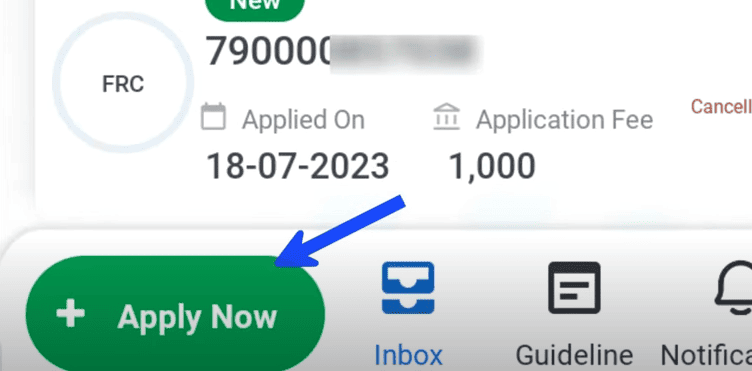
After downloading the app, click “Apply Now”
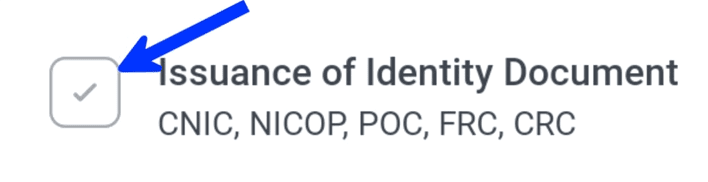
Then click “Issuance of Identity Document“
Finally, “Child Registration Certificate”

There, the parents will enter their 13-digit CNIC numbers.
Step 3: Fill Details and Upload Documents
After filling all the details and uploading all the documents check your information thoroughly. The regular fee is Rs.50, and for executive (i.e., urgent) service, the fee is Rs.500. Then, the parents will upload the child’s picture, digital signature, and supporting documents such as the birth certificate and CNIC.
Step 4: Biometric And Final Submission
The parents will scan their fingerprints using the mobile camera and upload them. Click on the Submit button once everything has been verified.
Step 5: CRC Delivery Time
If you have applied for the executive service, your CRC will be available for download on the app within a few days. You can download and print it. If you applied for the regular service, it will take approximately one month, after which you can download it.
How to Apply for CRC for a Child Above 1 Year
Step 1: Visit a NADRA Centre
To apply CRC for children above one year, you will have to go to a NADRA Centre, such as a Mega Centre (open 24/7), or other branches open Monday to Friday from 9:00 a.m. onwards.
Step 2: Required Documents
When visiting the NADRA Centre, take the child’s original birth certificate, the CNIC of at least one parent (plus a copy), and a guardian’s documents if applicable. If someone other than the child’s parents is applying (e.g., a guardian), then an attestation from a gazetted officer and a guardianship certificate will be required.
Step 3: Biometric and Form Processing
When you reach the NADRA Centre, complete the biometric process: provide fingerprints, signature, and a photograph. The operator will input the data and print an application form for your review. If both parents (i.e., the mother and father) are present, no attestation is required. But if one of the parent is not present the form must be signed by a gazetted officer.
Step 4: CRC Fees and Delivery
The regular fee and executive fee for CRC is Rs.50 and Rs.500 respectively. The regular CRC is issued within 5 to 30 days, while the executive CRC is usually issued within seven days. Once the CRC is made, you will receive it either from the NADRA Centre or by email. It will also be available on the Pak ID app in PDF format, from where you can easily download it.
Tips for Smooth CRC Processing
• Try to get your child’s CRC made within the first year of birth.
• Prefer Pak ID app to complete the process.
• Ensure all information (e.g., father’s name, mother’s name, child’s name) is entered correctly.
• The child’s photo uploaded on the app must be clear so the application can be processed smoothly.